Clash在ubuntu下的安装使用-基础1
Linux版本
一、下载安装包
解压、移动到应用程序目录下
tar zxvf clash_2.0.24_linux_amd64.tar.gz
sudo cp clash /usr/local/bin/
可下载链接:
https://github.com/doreamon-design/clash/releases
https://github.com/doreamon-design/clash/releases/download/v2.0.24/clash_2.0.24_linux_amd64.tar.gz
二、配置与使用
1、先启动clash(以root用户)。以生成配置目录
2、准备两个文件:
config.yaml
Country.mmdb
拷贝到配置目录下:/root/.config/clash

-
Country.mmdb:网络下载或备份
-
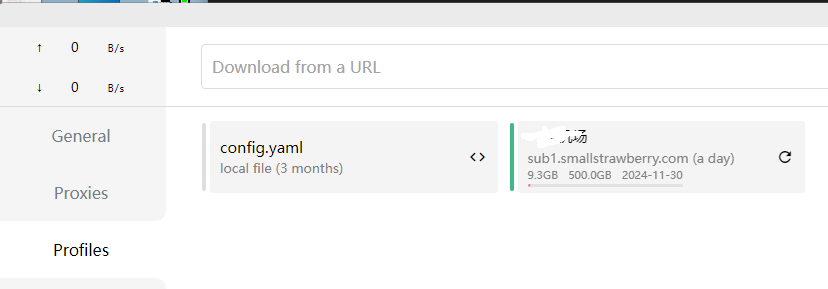
config.yaml:备份或从订阅制作
三、配置代理说明
- 普通用户 需设置代理环境变量。(对两种用户均执行下)
echo -e "export http_proxy=http://127.0.0.1:7890\nexport https_proxy=http://127.0.0.1:7890" >> ~/.bashrc
- root用户 需设置代理环境变量。
echo -e "export http_proxy=http://127.0.0.1:7890\nexport https_proxy=http://127.0.0.1:7890" >> ~/.bashrc
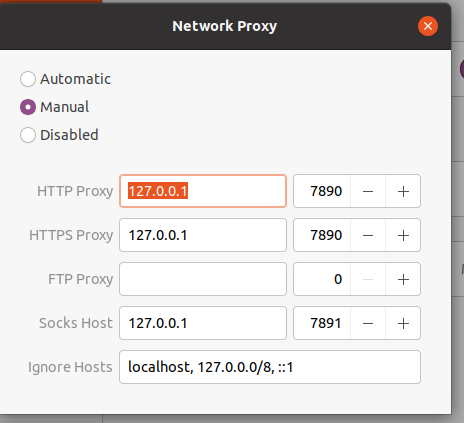
- 系统界面 需设置代理
http_proxy:127.0.0.1:7890
socks host:127.0.0.1:7891
四、 root用户启动clash程序
root: clash
五、普通用户测试上网
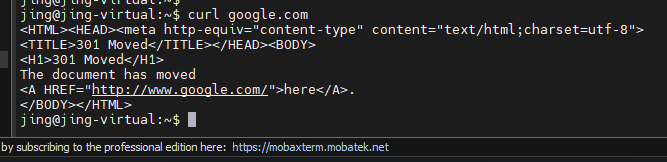
curl google.com